Expanded DVStore Access for Agent Office Users
DVStore is now available for Agent Office users in the iPOSpays portal.
Previously, the DVStore module was limited to ISO users. Agent Office users can now access DVStore to manage Value Added Apps and assign supported third-party applications to merchant terminals.
Feature Compatibility
Supported Users:
- ISO Users
- Agent Office Admin and Agent Office Add-On Users
How It Works
Agent Office users with DVStore access can:
- View available Value Added Apps
- Assign apps to individual TPNs
- Enable or disable apps at the TPN level
- Bulk assign apps across multiple TPNs
- Assign supported third-party application builds to eligible terminals
Enable DVStore for an Existing Agent Office
- Log in to the iPOSpays portal using your ISO account.
- Navigate to Agent Office.
- Search and select the required Agent Office.
- Click Edit.
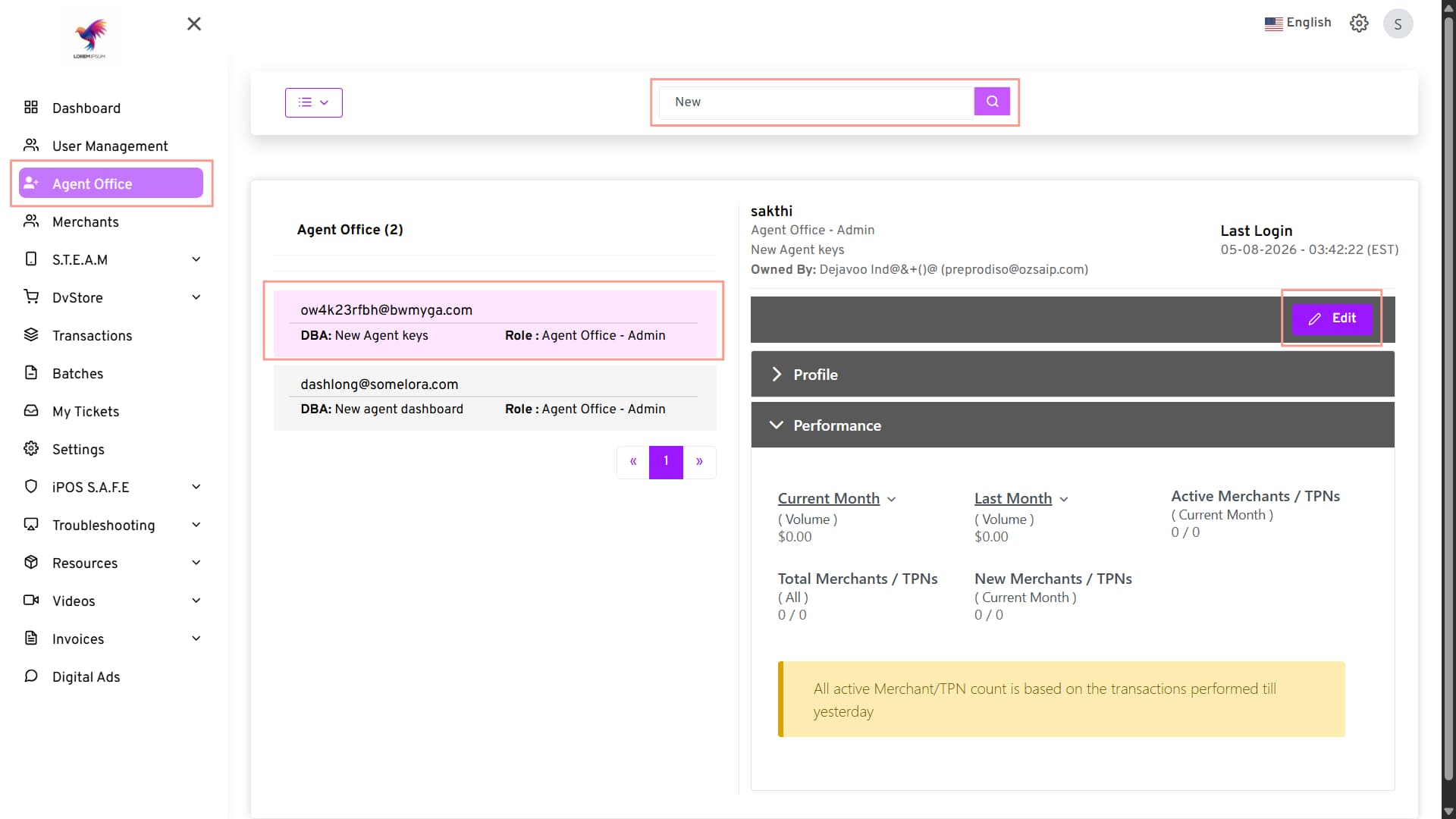
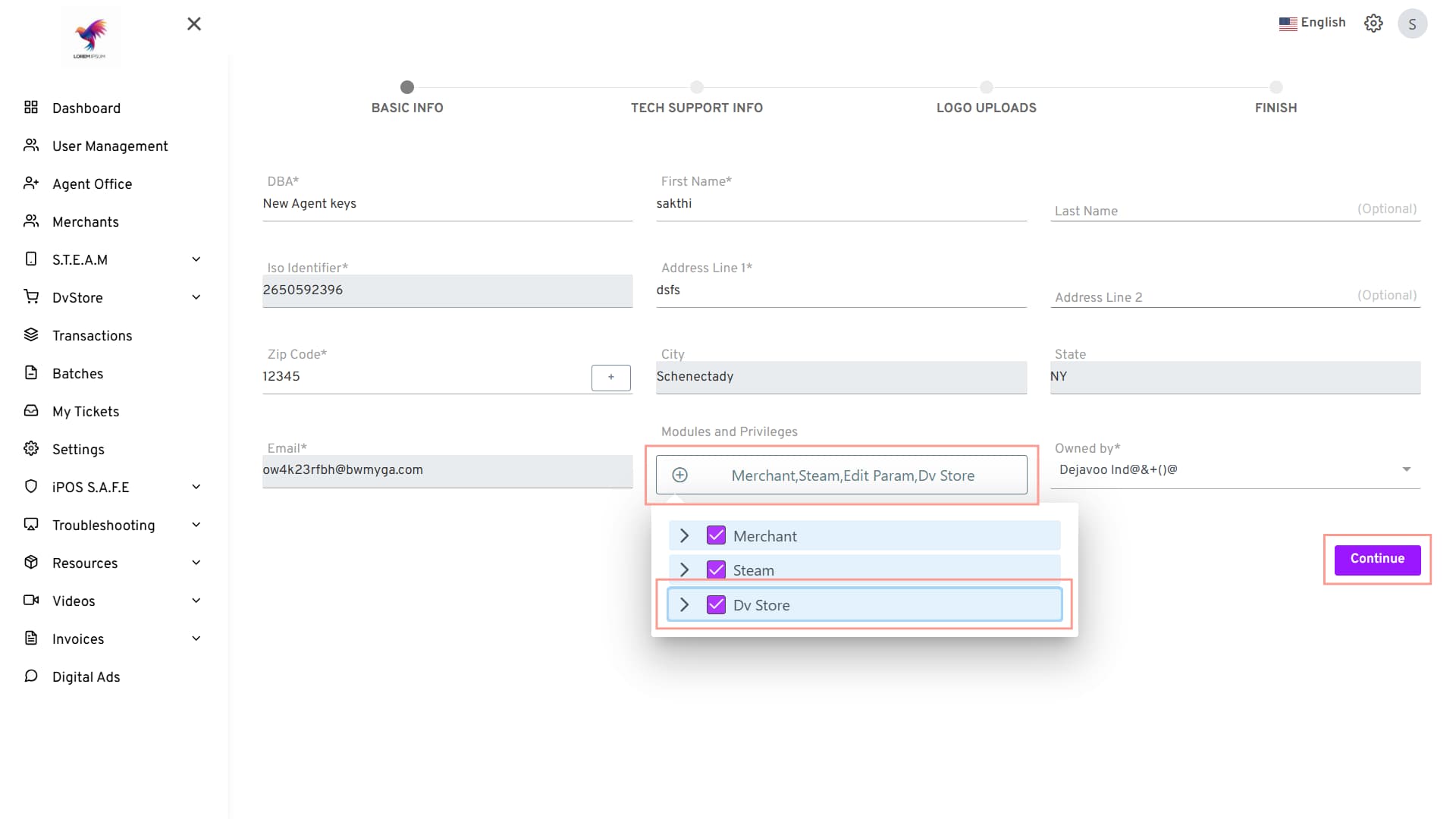
- Click Modules and Privileges.
- Enable DVStore for the Agent Office.
- Click Continue.
Enable DVStore While Creating a New Agent Office
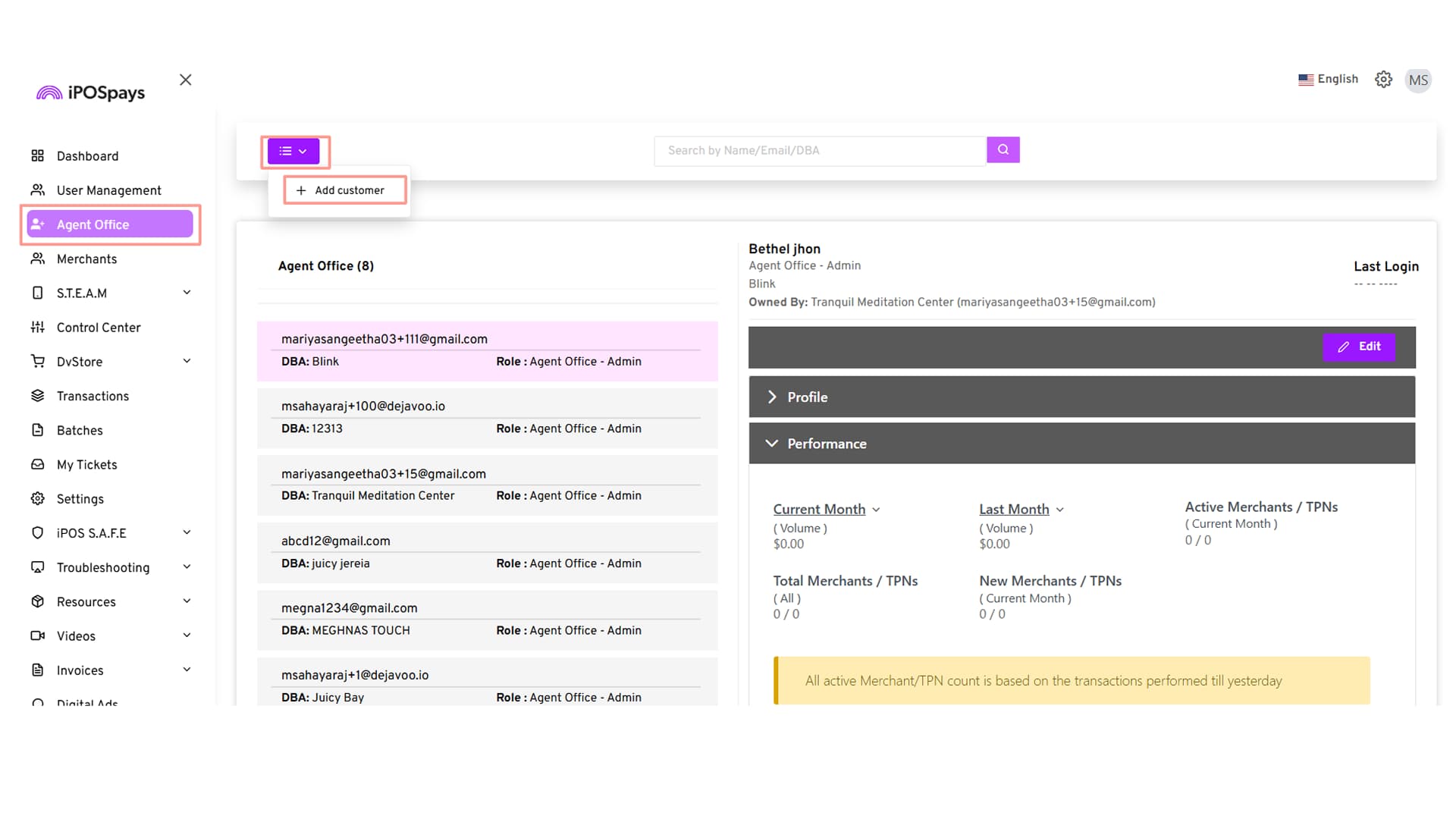
- Log in to the iPOSpays portal using your ISO account.
- Navigate to Agent Office.
- Click Add Customer.
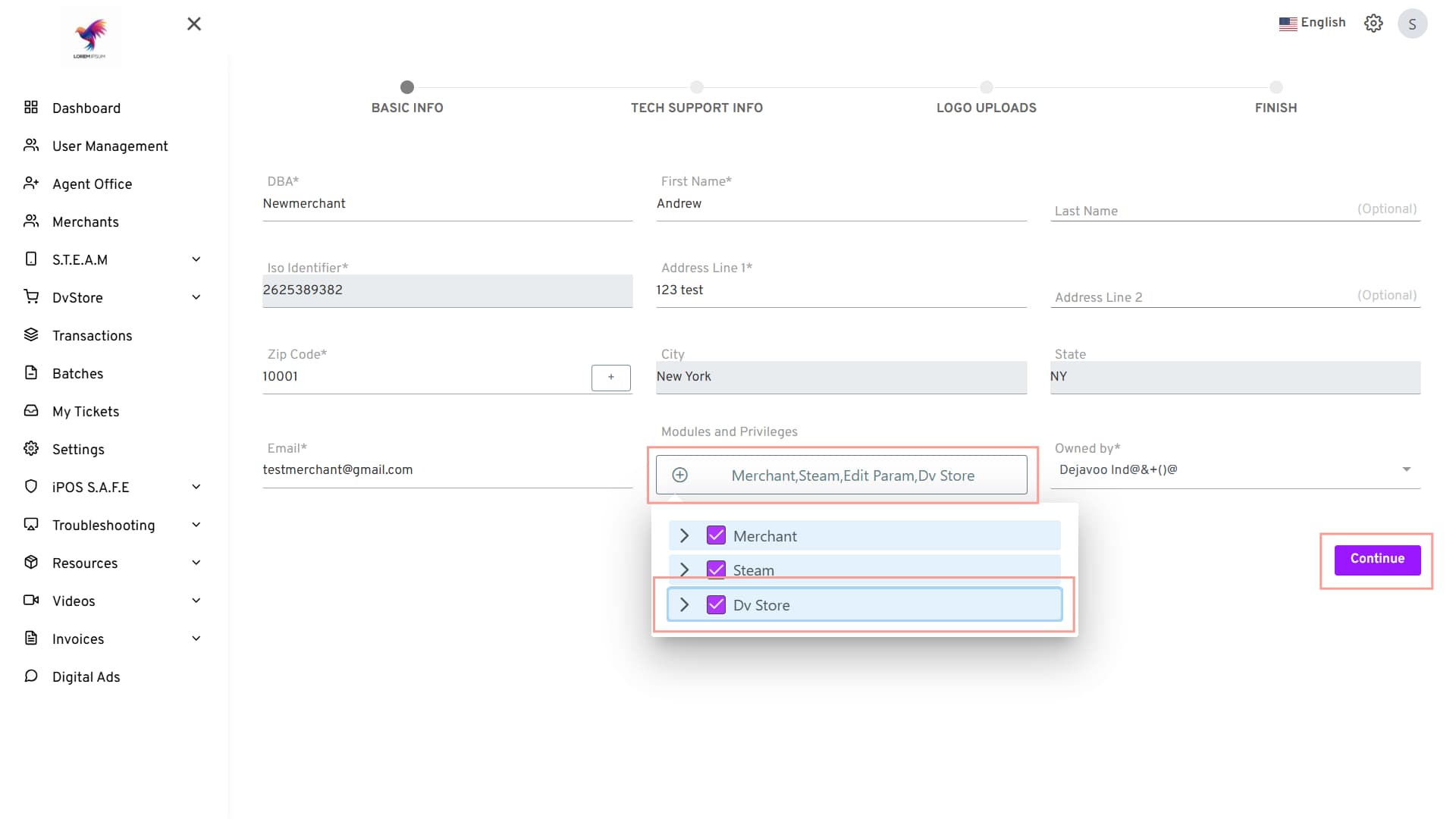
- Enter the required Agent Office details.
- Click Modules and Privileges.
- Expand Steam by clicking the arrow next to it.
- Enable DVStore for the Agent Office.
- Click Save to create the Agent Office.
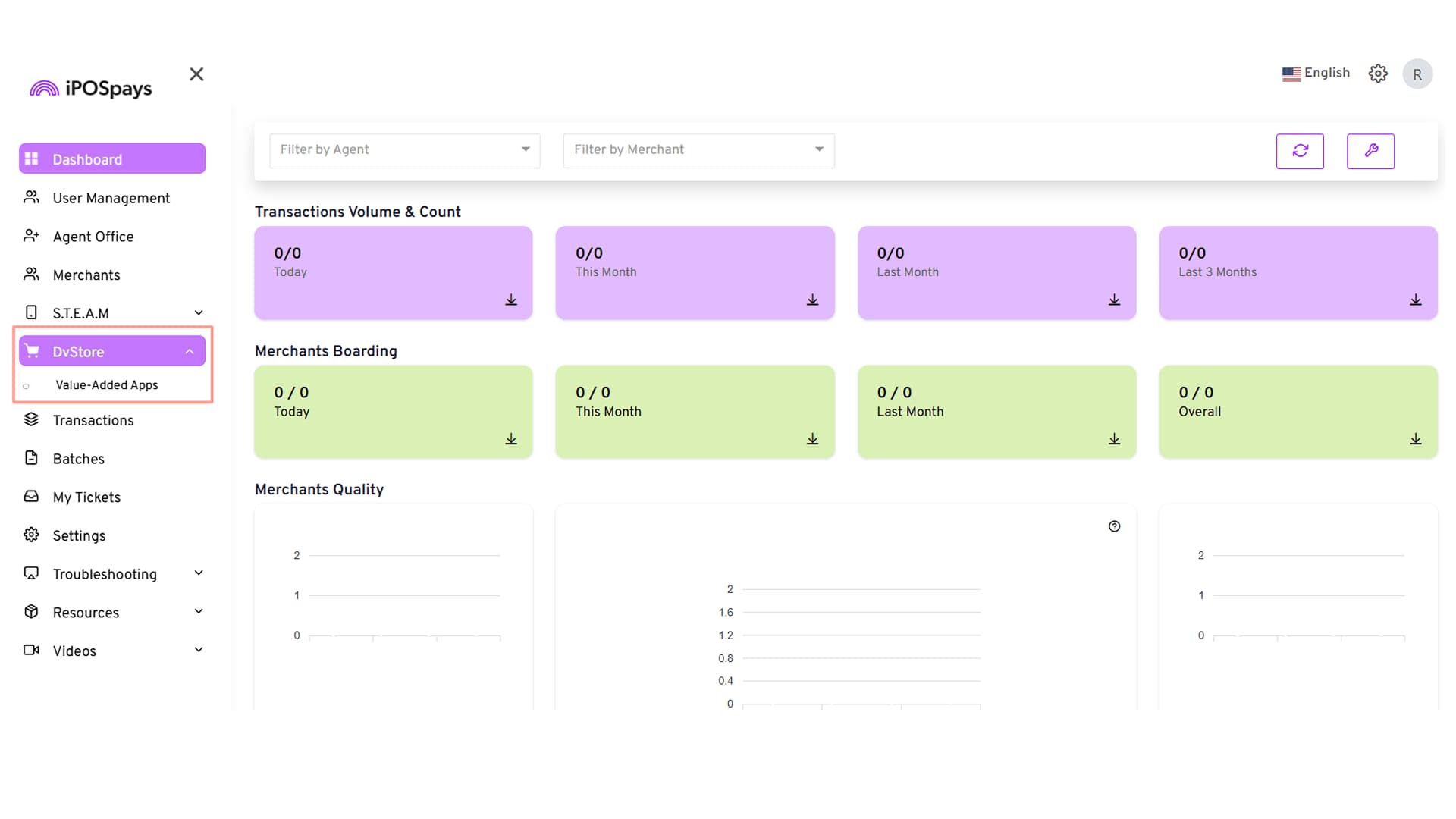
How to Access DVStore
- Log in to the iPOSpays Portal using an Agent Office account.
- Navigate to DVStore.
- Access Value Added Apps.
Additional Capabilities
- Manage Value Added Apps directly from the Agent Office login
- Perform bulk app assignments across multiple TPNs
- Manage app assignments through both DVStore and Edit Parameters