Control Agent Ability to Edit Merchant Fees
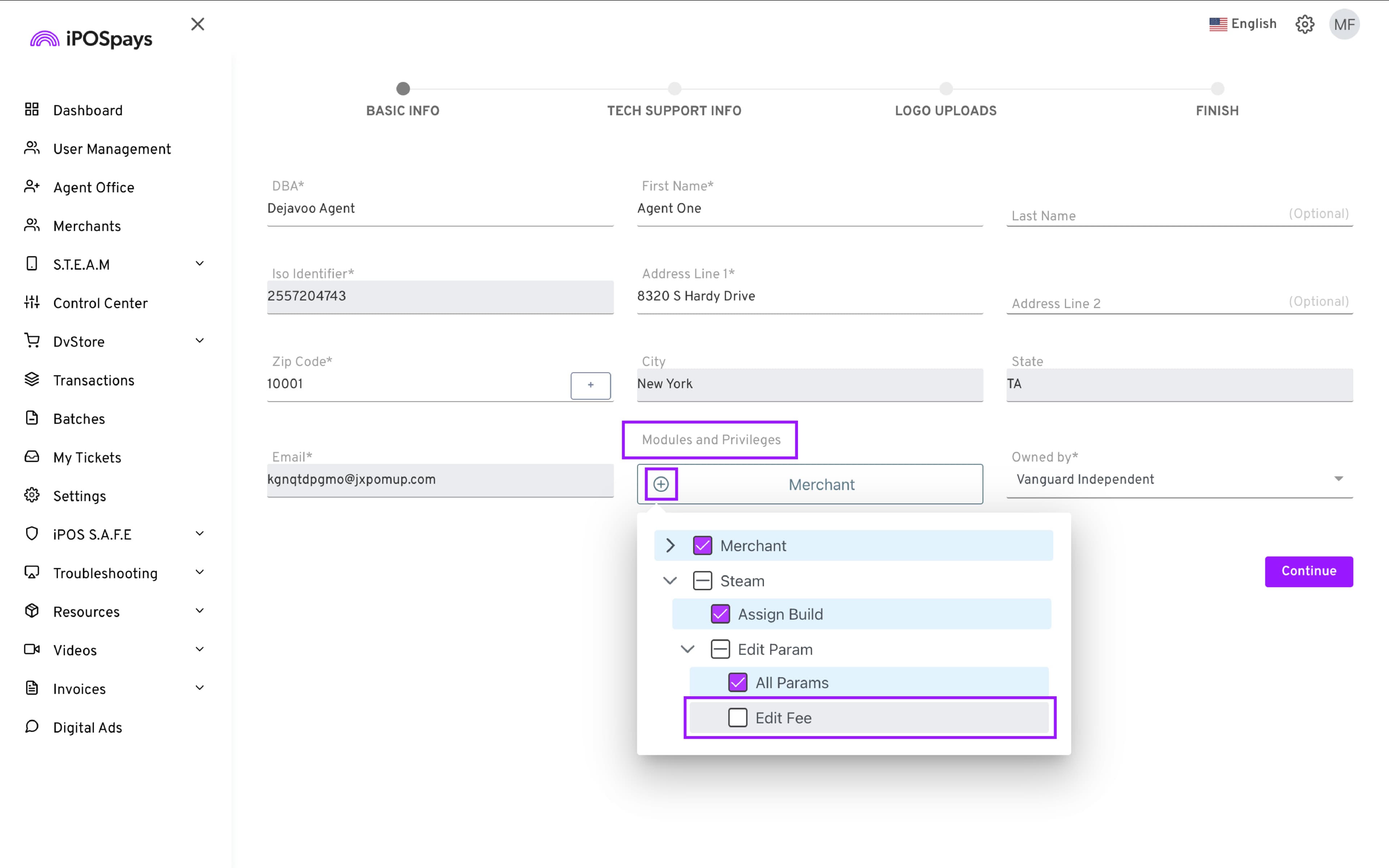
A new Edit Fee privilege has been introduced to give better control over merchant fee management. This option allows administrators to define whether an Agent Office can modify merchant fees.
By default, the privilege is enabled, allowing agents to edit fees as they do today. When the Edit Fee option is disabled, agents can no longer modify merchant fees, and fee fields appear as read-only in the portal.
Feature Compatibility
-
Minimum Required POS Build: Not applicable
-
Available on: iPOSpays ISO Admin Login
-
Supported Payment Methods: Not applicable
-
Supported Processors: Not applicable
-
Supported Fee Types: Not applicable
This enhancement helps prevent unauthorized fee changes while maintaining flexibility through role-based access control.
If the ISO disables this privilege for the default Agent Office user, any non-default Agent Office users created or managed by that default Agent Office user will also automatically lose this privilege.
How to use:
-
Log in to the iPOSpays portal using ISO admin credentials.
-
Go to User Management → Find and select the user using the search box → Edit.
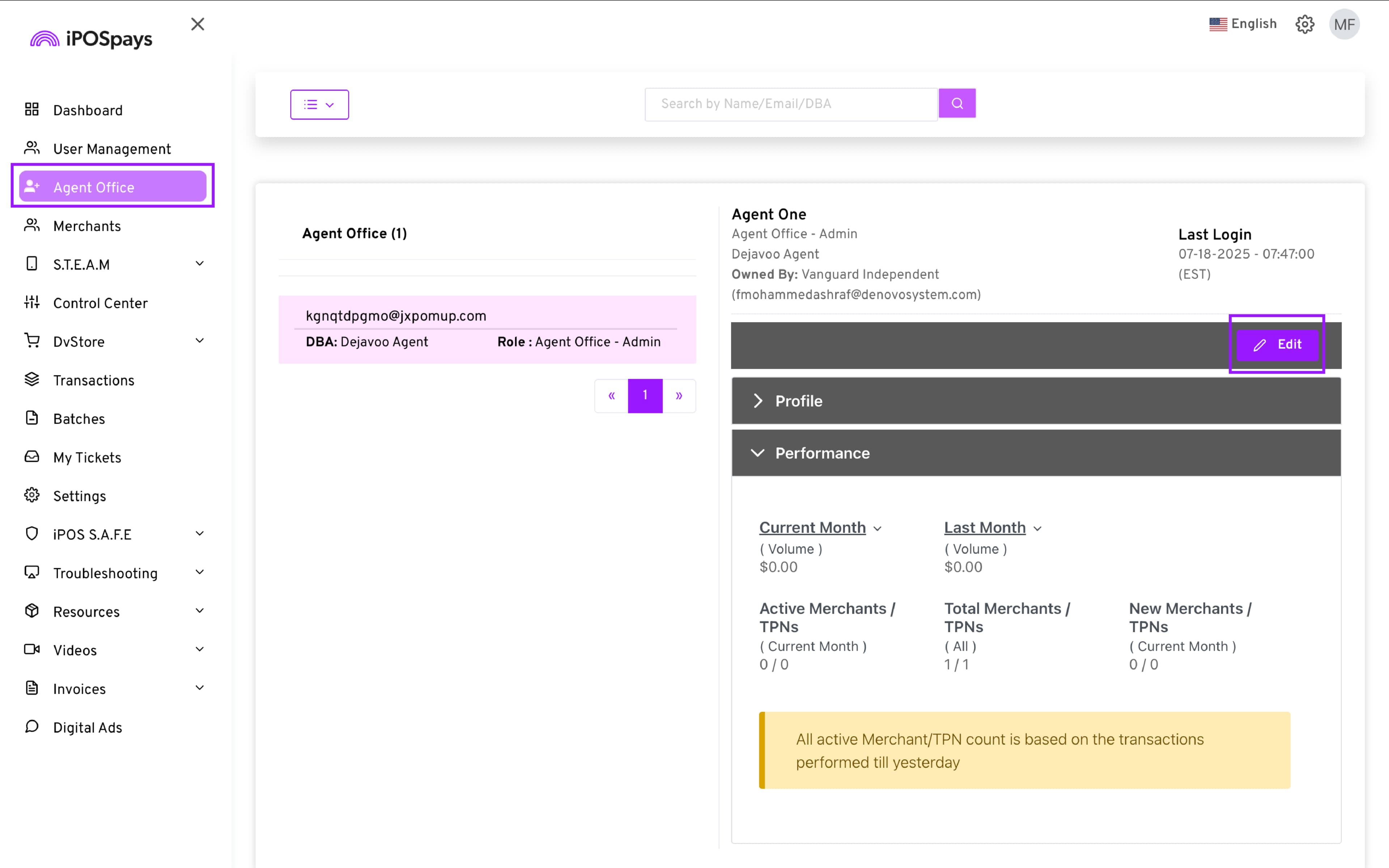
- Click Modules and Privileges → Steam → Edit Param → Check or Uncheck the Edit Fee box.
- Click Save for the changes to take effect.