CloudPOS TPN Support Added to iPOSgo! (iOS)
iPOSgo! (iOS) now supports CloudPOS TPN, allowing merchants to process Key-In, QR, and Send Link transactions without requiring Tap to Pay registration. This provides a simple, cost-effective way to use iPOSgo as a virtual terminal while keeping the familiar app experience unchanged.
All existing behaviors remain the same. NFC reader activity is triggered only when an Apple Pay TPN is enabled, ensuring full backward compatibility. When using a CloudPOS TPN, Tap to Pay is unavailable, but all other supported transaction types continue to function as expected.
Feature Compatibility
-
Minimum iPOSgo! (iOS) Version: 1.0.103
-
Minimum Required iOS Version: iOS 16.0 or later. It’s recommended to use the latest version for optimal performance.
-
Supported Devices: iPhone XS and later
-
Supported Processors:
-
TSYS
-
Fiserv Omaha
-
-
Supported Fee Types: Supports all fee types
-
Supported Transaction Types & Features:
-
Sale
-
Refund
-
Pre-Auth
-
Ticket
-
Void
-
Tip
-
Batch Settlement
-
Store-wise Batch Settlement
-
Cash Transactions
-
Key-In
-
QR
-
Send Payment Link
-
Register Lite
-
VISA CEDP
-
How to set up CloudPOS TPN on iPOSgo! (iOS)
If You Already Have an Apple Pay TPN
-
Log in to the iPOSpays portal using an ISO admin account.
-
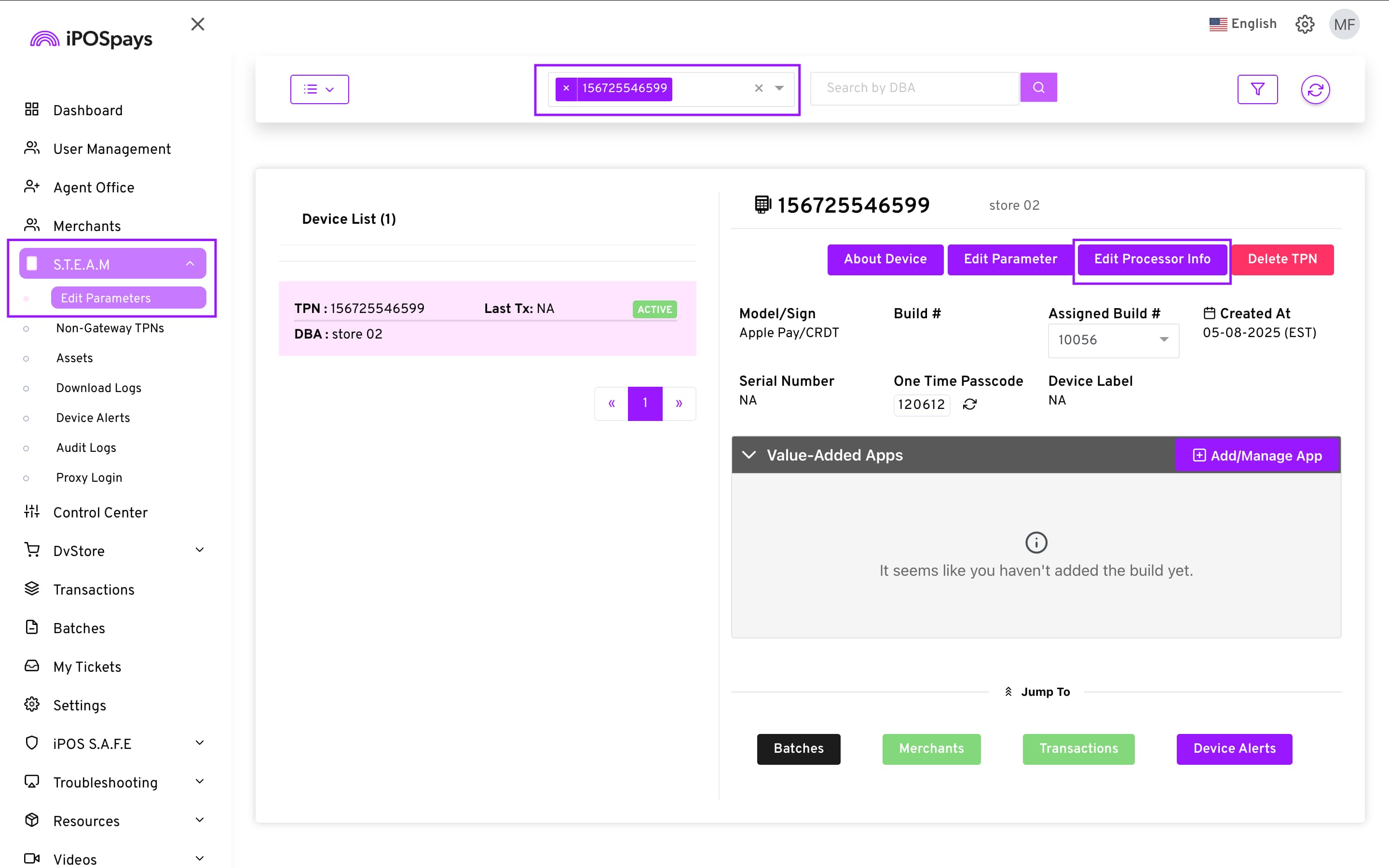
Navigate to S.T.E.A.M → Edit Parameters.
-
Search for and select the existing Apple Pay TPN.
-
Click Edit Processor Info.
-
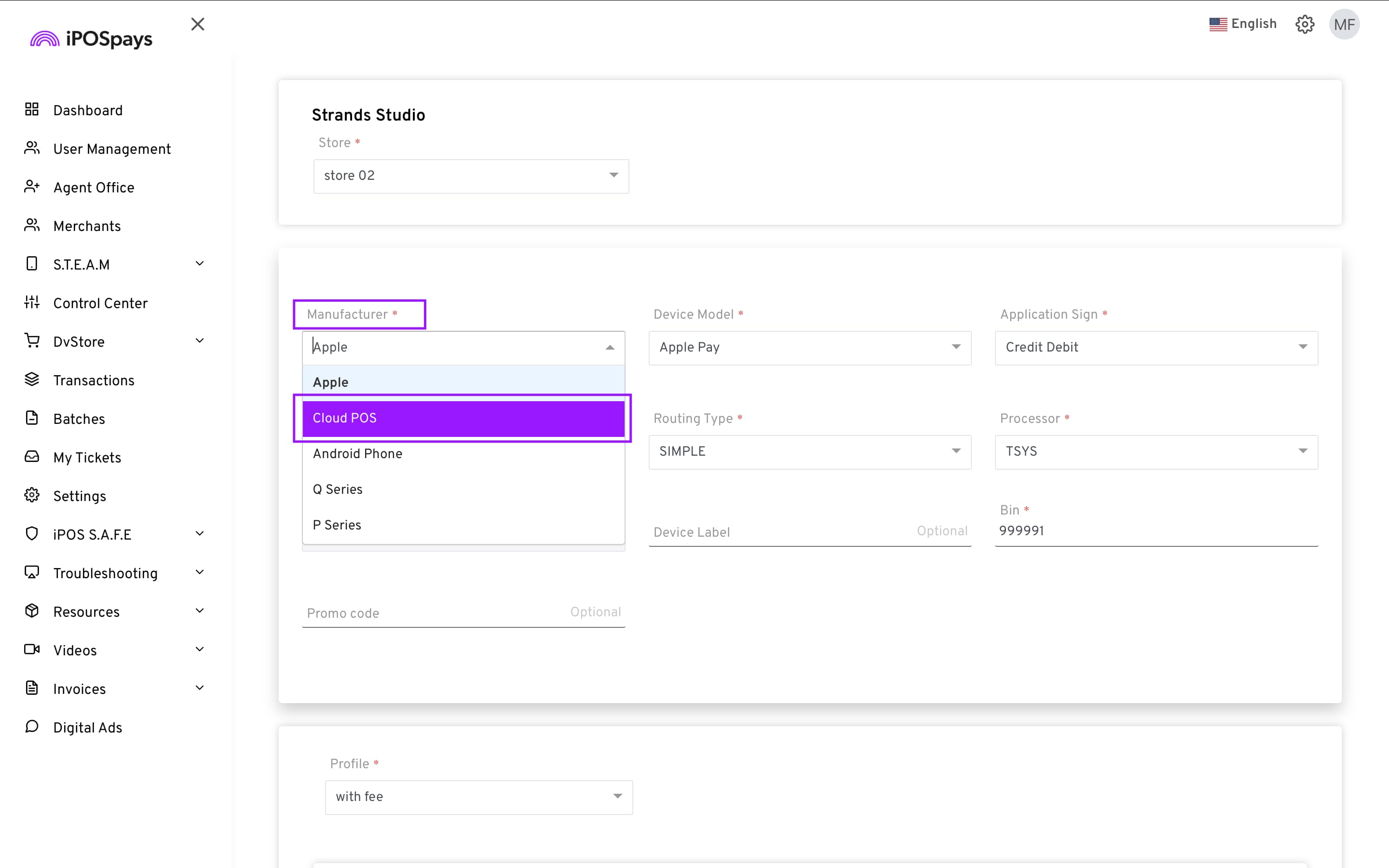
From the Manufacturer dropdown, select CloudPOS.
-
Click Save to apply the changes.
- Perform a parameter download on the iPhone.
Once completed, the iPOSgo app can be used as normal, now operating with a CloudPOS TPN.
You also have the option to use the CloudPOS TPN to perform transactions on the merchant login of the iPOSpays portal.
How to Revert Back to Apple Pay TPN
-
Follow the same steps above.
-
Select Apple Pay as the device model.
-
Save the changes and perform a parameter download on the iPhone.
-
The iPOSgo app will prompt the user to accept the updated terms and conditions. (The app will not prompt for terms and conditions for a CloudPOS TPN)
After confirmation, the app resumes normal Tap to Pay functionality.